
Creating Custom QR Codes
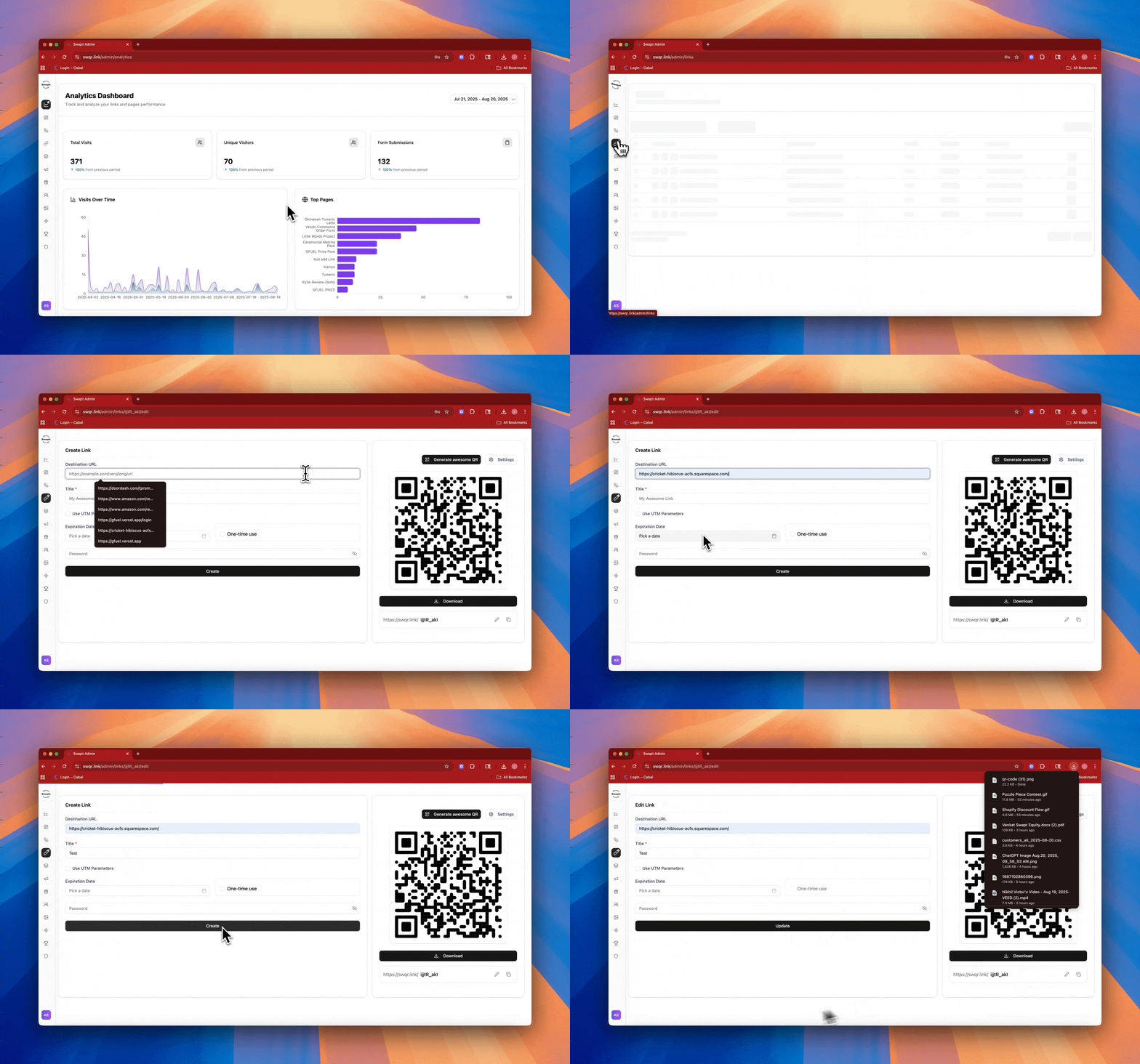
Learn how to design and generate professional QR codes that represent your brand perfectly. This guide covers everything from basic creation to advanced customization options that will make your QR codes stand out and drive more scans.
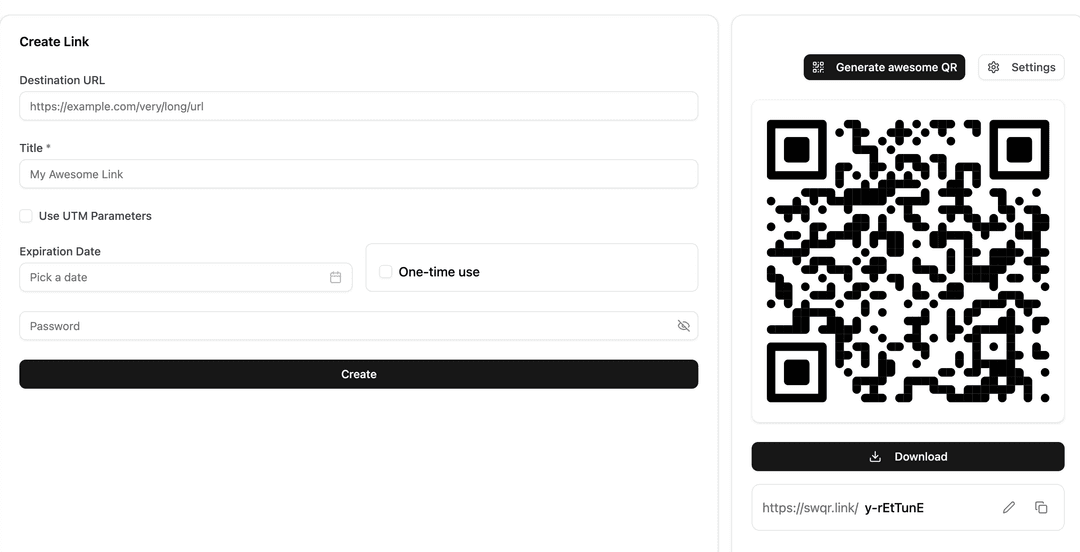
Start by selecting Create Link in the top right of the link section and entering your URL. URL redirects are great for driving traffic, but make sure to leverage our custom flows and landing pages for data capture forms to enhance lead generation!
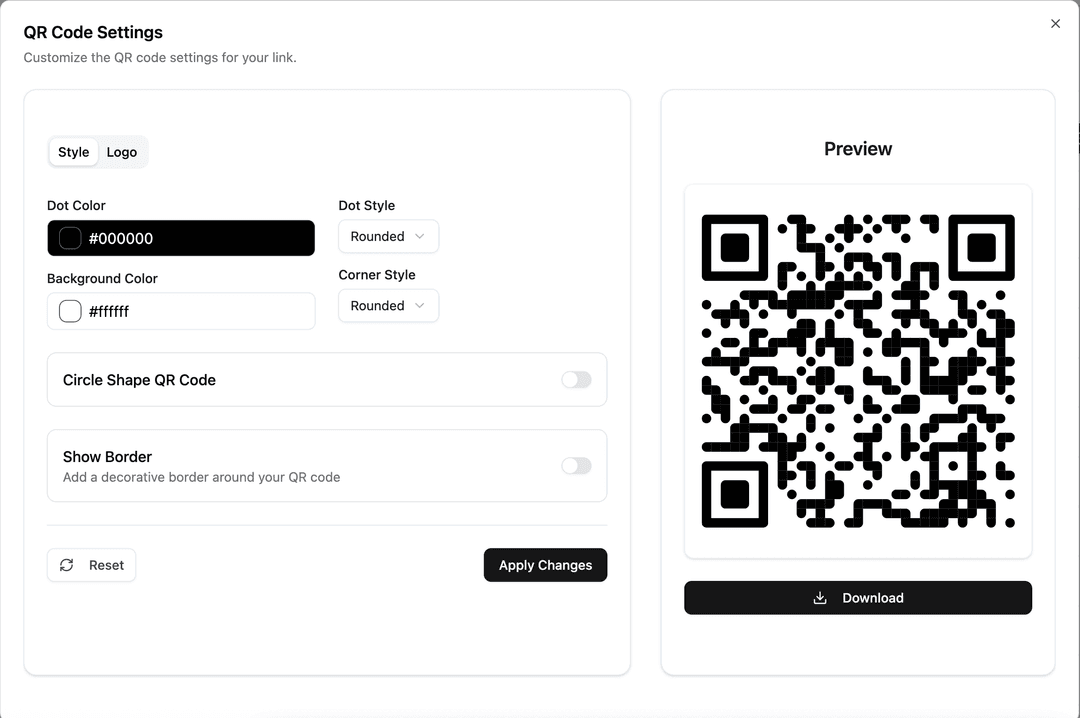
Customize your QR code's appearance to match your brand identity. Upload your logo, choose brand colors, and select from various patterns and styles. A well-designed QR code not only looks professional but also builds trust with your customers. Make sure your logo doesn't interfere with the code's scannability by keeping it appropriately sized.
Conclusion
With these techniques, you'll create QR codes that not only look great but also perform exceptionally well. Remember that the best QR code is one that provides clear value to your customers while achieving your business objectives. Keep experimenting with different designs and tracking your results to optimize performance.
Need More Help?
Still have questions? Our support team is here to help you succeed.